





How to tell if a Type C cable is fast charging?
 Feb 19, 2025|
With the popularity of USB-C interfaces, fast-charging technology has become standard for modern electronic devices. However, not all USB-C cables support fast charging. How to tell if your USB-C cable is capable of fast charging? This article will give you a detailed answer.
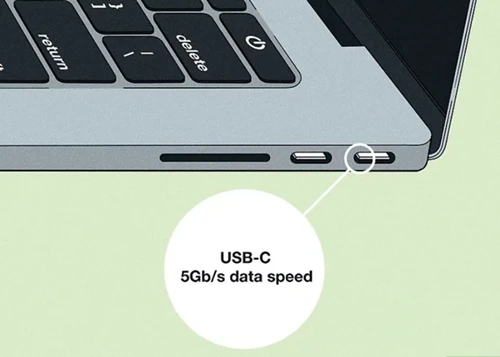
1. Understand the basic principles of fast charging
Fast charging relies on higher power output, and power (P) = voltage (V) × current (A). USB-C cables support a variety of fast charging protocols (such as USB PD, QC, etc.), which achieve fast charging by adjusting voltage and current. To achieve fast charging, the cable must be able to carry higher current (usually 3A or 5A) and support the corresponding fast charging protocol.
2. Check the physical identification of the cable
Many USB-C cables that support fast charging will have relevant information marked on their surface or packaging:
Current carrying capacity: Look for the "5A" or "3A" logo. 5A cables usually support faster charging with higher power.
Fast charging protocol: Some cables will indicate the fast charging protocol they support, such as "USB PD" or "QC 3.0".
Power label: For example, "60W" or "100W" indicates the maximum power output supported by the cable.
If there is no label on the cable, it may only support standard charging (5V/2A).
3. Use professional tools to detect
If you cannot determine whether the cable supports fast charging by appearance, you can use the following tools to detect:
USB current and voltage tester: Connect the tester between the cable and the device to monitor the voltage and current in real time. If the voltage is higher than 5V (such as 9V, 12V, 15V, etc.) and the current reaches 3A or 5A during charging, it means that the cable supports fast charging.
Fast charging tester: Some testers can detect the specific fast charging protocol supported by the cable, such as USB PD or QC.
4. Observe the charging speed
Although this method is not accurate enough, you can make a preliminary judgment by observing the charging speed:
Use the cable under test to charge the device that supports fast charging, and record the time required to charge from a low power (such as 20%) to 80%.
Use another cable known to support fast charging for comparison. If the charging speeds of the two are similar, the cable under test may support fast charging.
5. Check the device specifications
The manuals or official websites of some devices (such as mobile phones and laptops) will list the specifications of compatible fast charging cables. You can use this information to determine whether your cable meets the requirements.
6. Pay attention to the quality of the cable
Even if the cable is nominally fast charging, low-quality cables may not be able to stably carry high currents and may even pose safety hazards. Therefore, be sure to choose certified brand cables, such as products certified by USB-IF.
Summary
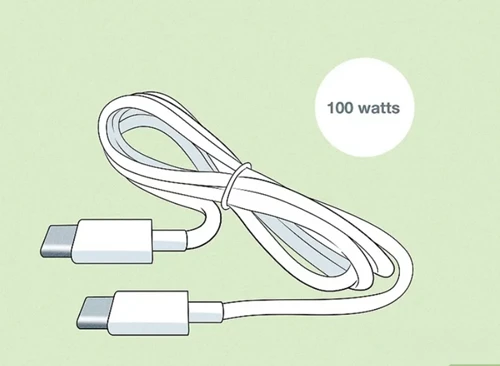
To determine whether a USB-C cable supports fast charging, you can check the physical logo, use professional tools to detect, and observe the charging speed. To ensure safety and charging efficiency, it is recommended to choose a high-quality, certified cable and ensure that it is compatible with your device.
If you still have questions about the choice of USB-C cable, feel free to contact our team and we will provide you with professional advice!