




How to optimize the performance of a Table Air Fan?
 Jul 25, 2025|
 Hey there! As a table air fan supplier, I've seen firsthand how a well - performing table fan can make a huge difference, whether it's in a stuffy office, a hot bedroom, or a crowded study area. In this blog, I'm gonna share some tips on how to optimize the performance of a table air fan.
1. Placement is Key
First off, where you put your table air fan matters a whole lot. You want to position it in a way that maximizes air circulation. For instance, if you're using it in a room, place it near a window. This allows the fan to draw in fresh air from outside and distribute it throughout the room.
Let's say you've got a small office. Put the fan on your desk facing you. But make sure it's not too close. If it's right up in your face, it might create a strong, uncomfortable draft. A distance of about 2 - 3 feet usually works well. This way, you get a gentle and consistent flow of air.
Another great placement trick is to use the fan to create cross - ventilation. If you have two windows in a room, open both of them and place the fan near one window, blowing towards the other. This will help to push out the hot, stale air and bring in cooler air, making the room much more comfortable.
2. Keep It Clean
A dirty fan is a sluggish fan. Over time, dust and debris can build up on the fan blades and in the motor housing. This not only makes the fan look bad but also reduces its efficiency.
To clean the fan, start by unplugging it. Then, use a soft brush or a microfiber cloth to gently remove the dust from the blades. You can also use a can of compressed air to blow out any dust that's stuck in hard - to - reach places.
For a deeper clean, you can remove the fan grille (usually by unscrewing a few screws). Wash the grille in warm, soapy water and let it dry completely before putting it back on. This will ensure that the air can flow freely through the fan, improving its performance.
3. Adjust the Speed and Angle
Most table air fans come with multiple speed settings. Use them to your advantage. On a really hot day, set the fan to the highest speed. This will move more air and create a stronger cooling effect. But if you just need a gentle breeze, like when you're sleeping, switch to a lower speed.
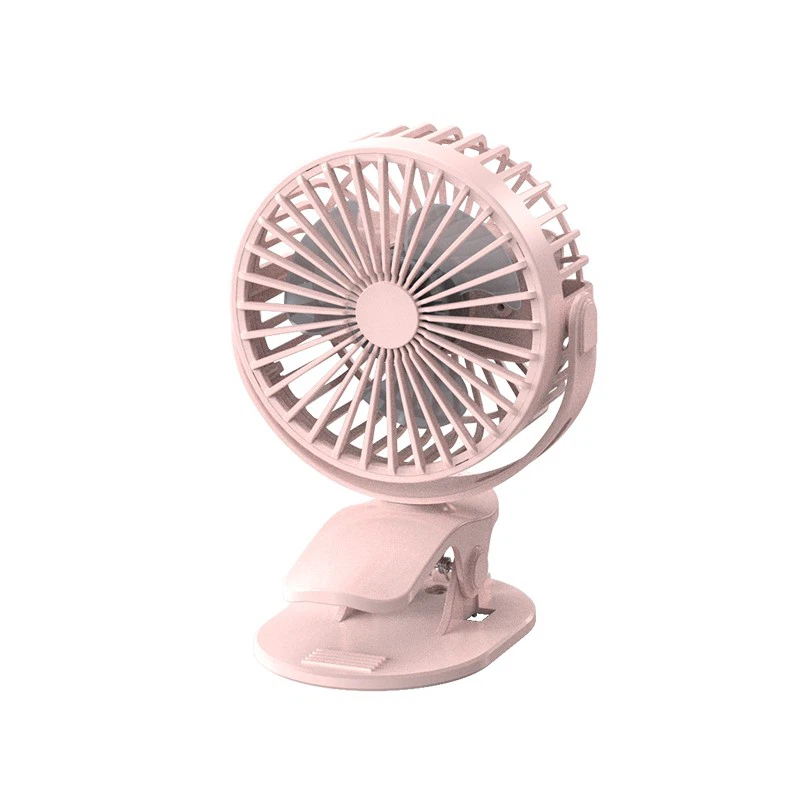

The angle of the fan is also important. You can usually tilt the fan up or down, and some models can even oscillate from side to side. If you're sitting at a desk, adjust the fan so that it blows directly at you. If you want to cool a larger area, set the fan to oscillate. This will distribute the air over a wider space.
4. Upgrade to a High - Quality Fan
If you're still not satisfied with the performance of your current table fan, it might be time to upgrade. We offer a range of high - quality table fans that are designed for maximum efficiency.
For example, our Silent Mini Desk Fan is perfect for small spaces. It's quiet, yet powerful enough to provide a decent breeze. And if you're looking for a fan that can be powered via USB, check out our Silent Usb Desk Fan. It's great for use with laptops or other USB - powered devices.
Our Desk Pedestal Fan is another excellent option. It has a taller stand, allowing it to blow air over a larger area. It also comes with multiple speed settings and an oscillating feature, giving you more control over the airflow.
5. Check the Power Source
A weak or inconsistent power source can affect the performance of your table fan. If you're using a battery - powered fan, make sure the batteries are fresh. Old or low - charge batteries can cause the fan to run at a slower speed.
If your fan is plugged into an electrical outlet, check the outlet for any loose connections. Also, avoid using the fan on an overloaded power strip. This can cause the voltage to drop, which will make the fan less efficient.
6. Lubricate the Motor (if applicable)
Some table fans have motors that require lubrication. Check your fan's user manual to see if this is the case. If it does, use a few drops of light machine oil on the motor bearings. This will reduce friction and make the motor run more smoothly, improving the fan's performance.
7. Use the Right Fan for the Space
Not all table fans are created equal. You need to choose a fan that's appropriate for the size of the space you're using it in. A small fan might not be enough to cool a large room, while a large fan in a small space might create too strong a draft.
If you have a small office or a bedroom, a mini - fan or a small desk fan will do the job. But for a larger living room or a workshop, you might need a more powerful pedestal - style table fan.
8. Consider Additional Accessories
There are some accessories that can enhance the performance of your table fan. For example, you can use a fan diffuser. This attaches to the front of the fan and spreads the air out over a wider area, making the cooling effect more even.
Another option is a fan humidifier. This adds moisture to the air as the fan blows, which can be especially helpful in dry environments. It can also make the air feel cooler and more comfortable.
In conclusion, optimizing the performance of a table air fan doesn't have to be difficult. By following these simple tips, you can make your fan work more efficiently and keep you cool and comfortable.
If you're interested in purchasing high - quality table air fans or have any questions about our products, we'd love to hear from you. Whether you're a retailer looking to stock our fans or an individual in need of a reliable cooling solution, we're here to help. Contact us to start a procurement discussion and find the perfect table air fan for your needs.
References
- "Home Comfort Guide: Table Fans", Home Appliance Magazine, 2022
- "The Science of Air Circulation", HVAC Research Journal, 2023
- "Fan Maintenance Tips", Consumer Electronics Handbook, 2021