




How to clean a mini fan?
 Aug 01, 2025|
 Hey there! As a mini fan supplier, I've seen my fair share of dirty fans over the years. Keeping your mini fan clean is super important, not just for its looks but also for its performance and your health. A dirty fan can blow dust and allergens around, which isn't great if you're trying to stay cool and breathe easy. So, in this post, I'm gonna walk you through the steps on how to clean a mini fan.

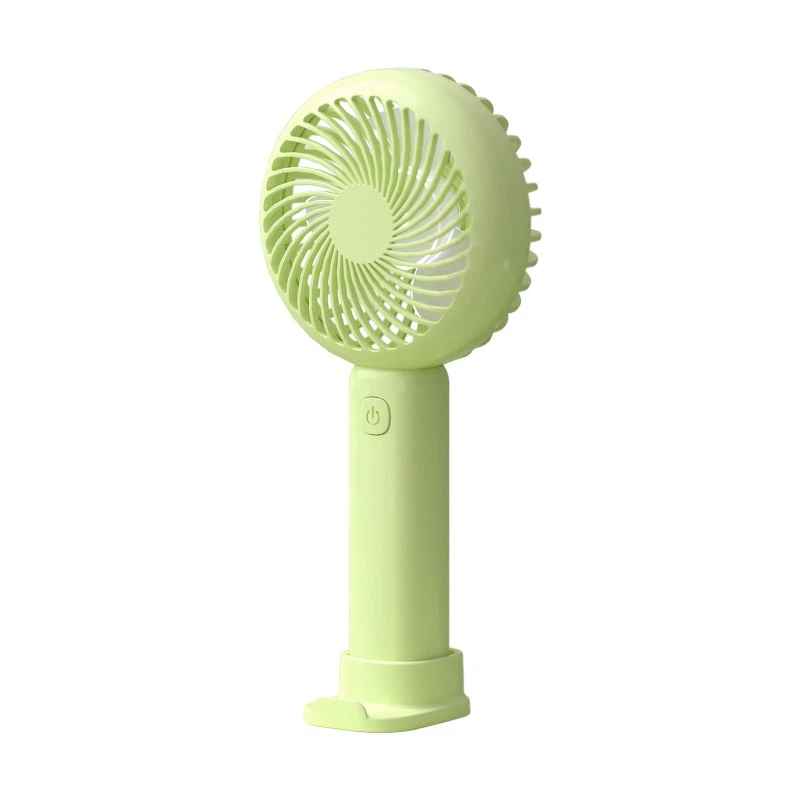
Step 1: Unplug or Remove the Battery
This is a no - brainer, but it's the most crucial first step. Safety comes first! If your mini fan runs on electricity, unplug it from the power source. If it's a battery - operated one, like our Tiny Battery Fan, remove the batteries. You don't want to risk getting an electric shock while you're cleaning.
Step 2: Remove Loose Dust
Grab a soft, dry cloth or a can of compressed air. I usually recommend starting with the cloth. Gently wipe the outside of the fan, including the casing and the grill. This will get rid of the obvious dust that's just sitting on the surface. If there are areas with stubborn dust, you can use the compressed air. Hold the can upright and spray short bursts of air into the grill and other hard - to - reach places. This will dislodge the dust that's stuck inside.
Step 3: Clean the Blades
The blades are where most of the dirt and dust accumulate. You can use a damp cloth to clean them. Make sure the cloth isn't too wet, or you might get water inside the fan and damage it. Gently wipe each blade, getting both the front and the back. If there's a lot of grime, you can add a little mild dish soap to the water. But remember to rinse the cloth well to remove any soap residue before you start wiping the blades.
Another way to clean the blades is to use a toothbrush. Dip the toothbrush in the soapy water and gently scrub the blades. This is great for getting into the small crevices and corners where dust likes to hide. Once you've scrubbed all the blades, use a dry cloth to dry them off completely.
Step 4: Clean the Grill
The grill is an important part of the fan as it protects the blades and also filters the air. To clean it, you can use the same damp cloth or a small brush. If the grill is really dirty, you can remove it (if it's removable). Most mini fans have grills that can be easily popped off. Once you've removed the grill, soak it in a sink filled with warm, soapy water for about 15 - 20 minutes. This will loosen up the dirt. Then, use a brush to scrub the grill gently. Rinse it thoroughly with clean water and let it dry completely before putting it back on the fan.
Step 5: Clean the Base and Other Parts
Don't forget about the base of the fan and any other parts like the stand or the controls. Use a damp cloth to wipe them down. If there are sticky spots, you can use a little rubbing alcohol on a cloth to clean them. Just make sure to dry the area well after using the alcohol.
Step 6: Reassemble the Fan
Once all the parts are dry, it's time to put the fan back together. If you removed the grill, carefully attach it back to the fan. If you took out any other parts, make sure they're properly installed. Put the batteries back in if it's a battery - operated fan, or plug it back in if it's electric.
Step 7: Test the Fan
After reassembling, turn on the fan to make sure it's working properly. Listen for any strange noises or vibrations. If everything sounds and looks good, then your mini fan is clean and ready to use again!
Tips for Regular Maintenance
- Clean regularly: Try to clean your mini fan at least once a month, especially if you use it frequently. This will prevent a large amount of dust from building up.
- Keep it in a clean environment: When you're not using the fan, store it in a clean place. Avoid placing it in areas where there's a lot of dust, like near an open window or a construction site.
- Use air filters: Some of our Outdoor Mini Fan models come with air filters. Make sure to clean or replace these filters according to the manufacturer's instructions. This will not only keep the fan clean but also improve the air quality.
Why Clean Mini Fans Are Important
Clean mini fans are more than just aesthetically pleasing. They work more efficiently. When a fan is dirty, the blades have to work harder to move the air, which can lead to decreased performance and increased energy consumption. A clean fan will also last longer. Dust and dirt can cause wear and tear on the internal components of the fan, leading to breakdowns and a shorter lifespan.
Moreover, a clean fan is better for your health. As I mentioned earlier, a dirty fan can blow dust and allergens into the air, which can cause respiratory problems, especially for people with allergies or asthma. Our Small Fan For Sleeping is designed to provide a comfortable and healthy sleeping environment, and keeping it clean is essential for that.
Contact for Purchase and Cleaning Advice
If you're in the market for a new mini fan or need more advice on cleaning and maintaining your existing one, don't hesitate to reach out. We offer a wide range of high - quality mini fans that are not only easy to clean but also energy - efficient and durable. Whether you need a fan for your desk, outdoor activities, or for sleeping, we've got you covered.
Contact us today to discuss your requirements and start enjoying the benefits of a clean and efficient mini fan!
References
- General knowledge on fan maintenance and cleaning.
- Experience as a mini fan supplier.